
Decorate for me fills a room with furniture that fits it: a bed, nightstands and lamps in a bedroom, a sofa with a coffee table and chairs facing it in a living room, a refrigerator, sink and stove in a kitchen. You pick the room. The app picks the pieces and where they go, and it picks differently for a small room, a big room and a long narrow one.
The room has to be closed in by walls. If you click where there's no closed room, you'll see "Close up your walls first!"
Classic mode
Open a room's palette on the left rail: Living Room, Kitchen, Dining Room, Bedroom or Bathroom. The Bedroom palette has a second wand, Decorate: Kid's room, for a bunk bed, toy chest and bean bag.
Click Decorate for me. It's the 🪄 tile in the first group. The group is called Decorate · Make.
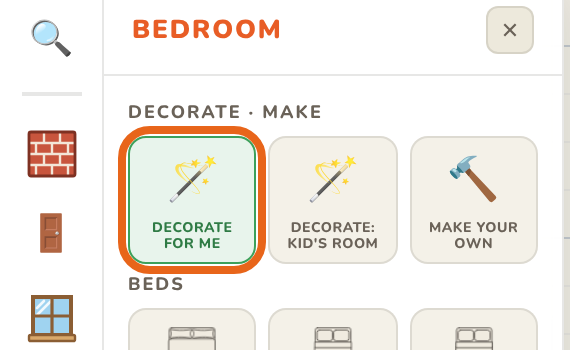
Click inside a room. The furniture pops in, one piece after another.
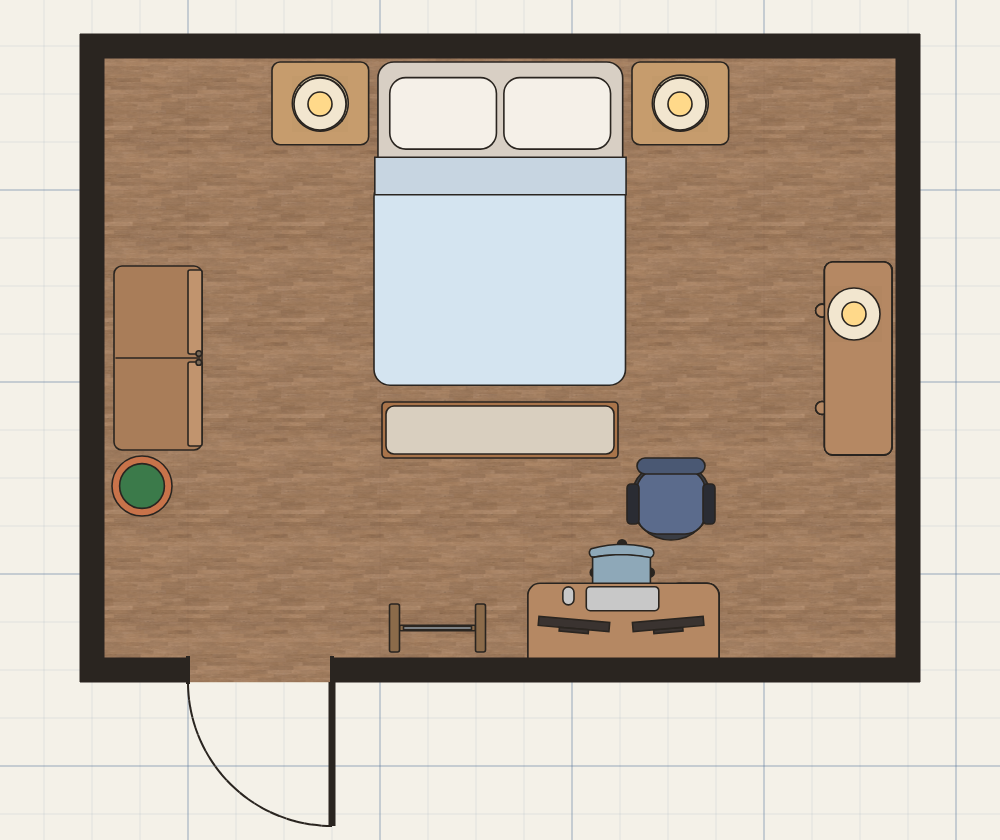
The tile already knows what kind of room it is. In the Bedroom palette it furnishes a bedroom, wherever you click.
If the room has no floor yet, it gets one too: wood in living rooms, bedrooms, dining rooms and offices, tile in kitchens and bathrooms, carpet in kid's rooms and playrooms. A room that already has a floor keeps it. To change it, pick another floor from the Floors palette and click the room (see Floor fills).
The Outdoor palette doesn't have one, because a yard has no closed room to fill. To furnish a patio or deck, use the wand in Simple mode and click the patio or deck.
Simple mode
- Click Furniture on the wheel.
- Click Decorate for me. It's the 🪄 tile at the top of the panel, in the group called Decorate · Make.
- Click inside a room.
The wand here is for any room, so it has to find out which one. If the room has a name in it (see Room names) it uses that. If not, it asks WHAT KIND OF ROOM? Pick Bedroom, Living Room, Kitchen, Bathroom, Dining, Kid's room, Office, Playroom or Game room, or click Cancel. A room named Kid's room, Office, Playroom or Game room is recognized too.
Try again, or take it back
- Click the room again for a different look. The new furniture takes the place of what the last click put there, so the room never piles up. Anything you placed yourself, or moved, turned or recolored since, stays where it is, and the new pieces go around it. (If you close and reopen the project, the app forgets which pieces were its own, so the next click adds to the room.)
- Press Ctrl+Z, or ↩ Undo, to take it all back. The whole set of furniture goes away in one step, not piece by piece.
Good to know
- Bigger rooms get more. A small bedroom gets a twin or full bed, a nightstand and a dresser. A bigger one adds a queen bed with two nightstands and lamps, a dresser, a desk with its chair, a wardrobe and a reading chair in the corner with a floor lamp and a plant. Living rooms, kitchens, bathrooms and dining rooms scale the same way.
- Seating forms a group. The sofa goes on the longest free wall, the coffee table in front of it, chairs at the ends of the table turned to face it, and the TV on the wall across from the sofa if that wall is free.
- Lamps and lights sit on things. Table lamps stand on nightstands, end tables and dressers, and a pendant light hangs over the dining table or island.
- Dining tables bring their own chairs, so you won't get a second set round them.
- Pieces only go where they fit. Each one needs room to walk around it, so in a very narrow room some pieces are left out.
- It keeps out of the way. Pieces stay off door swings, and tall pieces stay away from windows.
- Your own furniture counts. Anything you've already put in the room is treated as in the way, and new pieces go around it.
- Every piece is normal furniture afterward. Select, move, turn or delete any piece. See Moving, turning, flipping.
If something goes wrong
"Close up your walls first!" The click wasn't inside a closed room. Finish the walls so there's no gap.
"Hmm — no room to spare in there!" Nothing fit. The room may be too small or already full.