
The Furniture Maker is a small workshop for pieces that aren't in the palette: a bunk bed, a round table, a fish tank. You can start from a piece that already exists and change it, or start with nothing and add parts.
Open it
Classic: open a room's palette on the left rail and click Make your own, in the group called Decorate · Make. The piece will be saved in that room's palette.
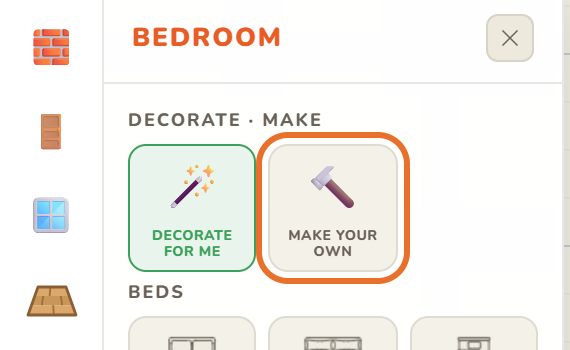
Simple doesn't have Make your own: switch to Standard from the level menu. Pieces you made earlier stay under My Furniture in the Furniture panel.
Choose how to start
A window called Make your own furniture opens with two doors.
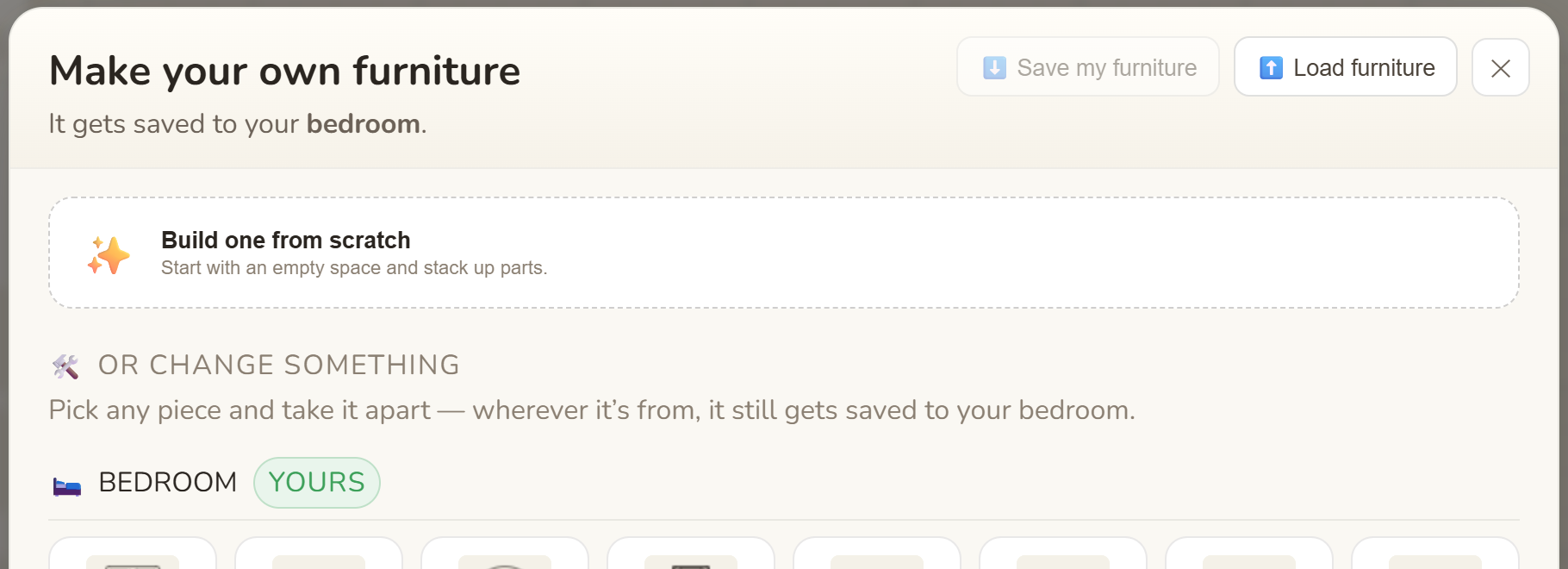
- Build one from scratch starts with an empty space and lets you stack up parts.
- Or change something shows pieces that already exist, grouped by room. Click one to take it apart and change it.
Build it
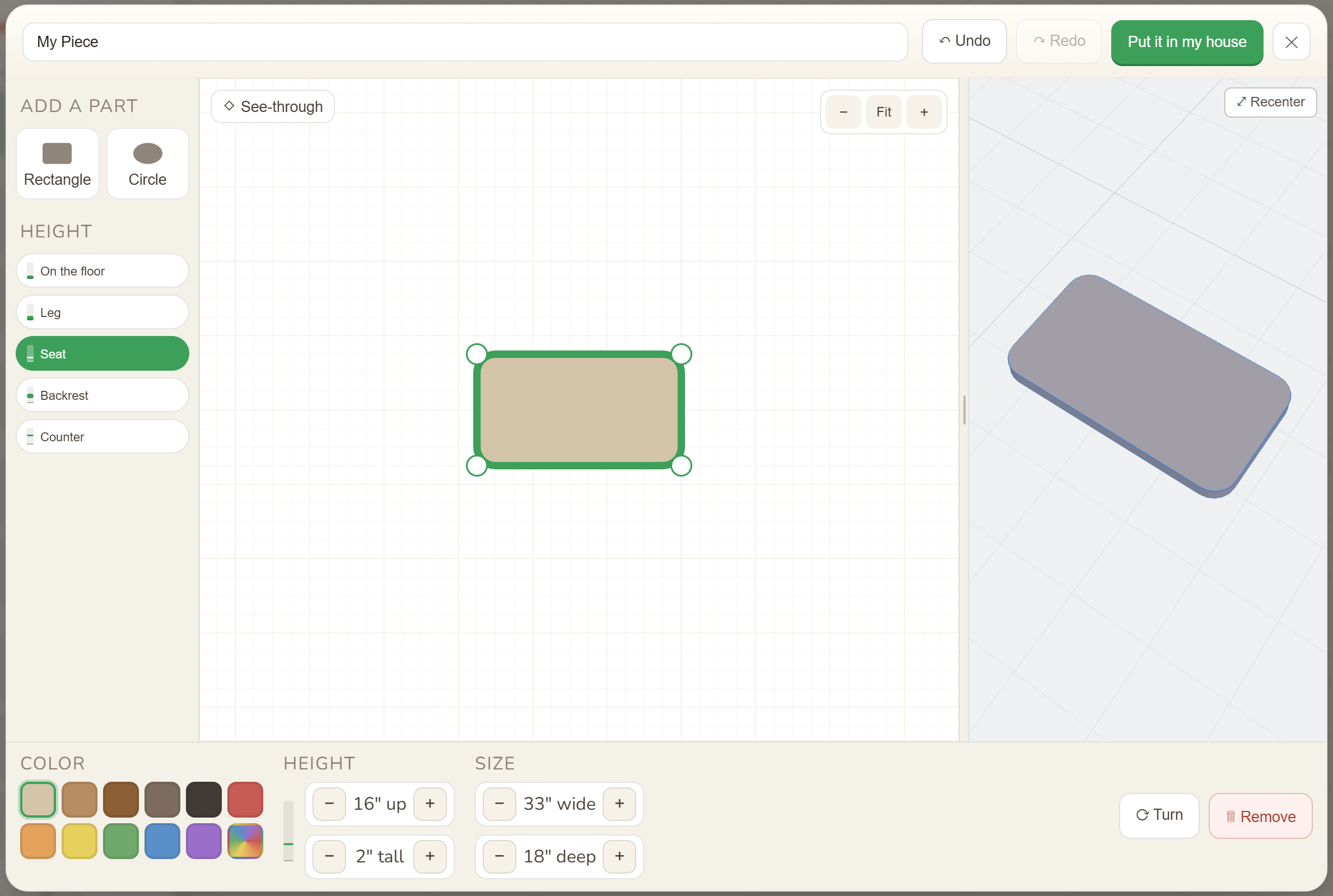
In the maker, the plan is on the left and a 3D preview is on the right.
Name it. Click the name at the top and type one. It can be up to 40 letters.
Add a part. In the Add a part box, click Rectangle or Circle, then drag on the floor to set its size. A quick click without dragging drops a small 18″ part.
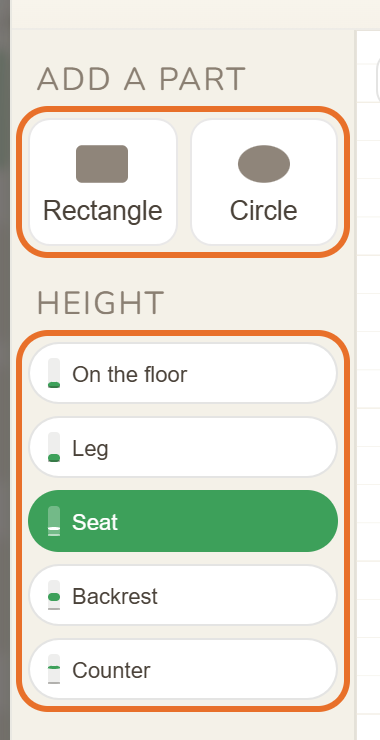
Set its height. Under Height, pick On the floor, Leg, Seat, Backrest or Counter. This is how high off the floor the part sits. Picking one before you draw sets it for the next part, and picking one with a part selected changes that part.
Tap a part to change it. A panel shows up with these:
- Color: pick a swatch, or the last one for any color you like.
- Height: − and + change how far up it starts and how tall it is, an inch at a time.
- Size: − and + change how wide and how deep it is, 3″ at a time. Or drag its corner grips.
- ⟳ Turn spins it 45°.
- 🗑 Remove deletes the part.
Click Put it in my house.

The preview shows what you're making in 3D as you go. Use ↶ Undo and ↷ Redo at the top if you change your mind, and −, Fit and + to zoom the plan.
After you click Put it in my house
The maker closes. Your piece is saved, the app jumps to Plan view, and your piece is picked so your next click places it. In Classic, the room's palette opens too.
It stays in the palette in a group called My Furniture. It's saved on this device, so it's there in other projects and next time you open the app.
On each of your pieces:
- The pencil opens the piece in the maker again, so you can keep changing it.
- The × asks if you want to remove it from your library.
Good to know
- You can add 12 parts. After that you'll see "That's plenty of parts! Try changing the ones you have."
- Take furniture with you. In the Make your own furniture window, ⬇️ Save my furniture saves everything you've made to a file, and ⬆️ Load furniture loads a file back in. Use them to move your pieces to another computer.
- Pieces from the app can't be overwritten. Changing a piece from the "Or change something" list makes your own copy.
If something goes wrong
Put it in my house is gray. There are no parts yet. Add a Rectangle or a Circle first.
⬇️ Save my furniture is gray. You haven't made anything yet.