
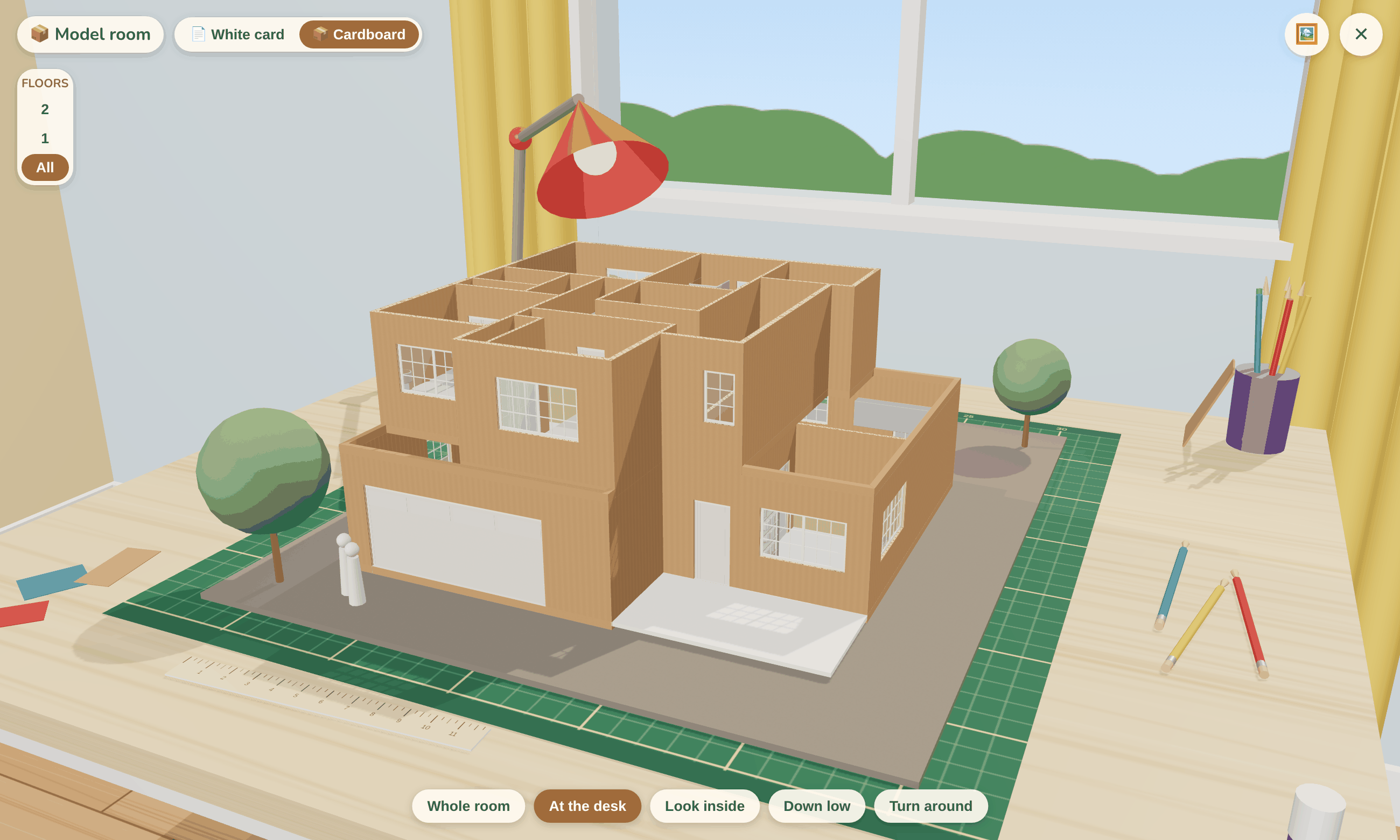
Architects build small models of a house before it's built, out of cardboard or white card, so people can look at it from every side. Model Room turns your house into one of those models and puts it on a desk in a bedroom. The roof is left off, so you can see down into every room.
Open it
Click 3D in the bar at the top.
Click 📦 Model, after Classic, Blocks and Cartoon at the top left.
It says Building your model… for a moment, then the room appears with your house on the desk.
Click ✕ at the top right to go back to 3D. Your 3D style is just as you left it.
Look around
Drag to spin around the model, and zoom with the mouse wheel or by pinching. The buttons at the bottom jump the camera:
| Button | Where it looks from |
|---|---|
| Whole room | The whole bedroom, with the desk in it. |
| At the desk | Sitting at the desk, in front of the model. This is where you start. |
| Look inside | From above, looking down into the rooms. |
| Down low | Down at the model's own ground, as if you were standing in its yard. |
| Turn around | Back toward the bedroom door and the hall. |
Cardboard or white card
The two buttons at the top change what the model is made of: 📦 Cardboard (brown, the first time you open it) or 📄 White card. Your choice is remembered next time on this device.
Lift off a floor
A house with more than one floor gets a Floors row. Tap a floor's button and every floor above it lifts off and is set down beside the model, so you can see into that floor. All puts them back.
The buttons are named like the floor buttons on the plan: Basement, 1, 2 and so on.
Walk into a room
Tap a room on the model. The screen fades and you are standing in that room, full size, in Walk. With a mouse, a room glows and says "Walk into" and its name when you point at it.
A room needs a floor in it to be tapped (see Floor fills). Its name comes from a room name on the plan (see Room names).
When you click EXIT in Walk, you come back to the Model Room.
Save a picture
Click 🖼️ Add to Museum at the top to hang a picture of the model in My Museum. It says ✓ Added when it's done, and Open it takes you to the museum. See Snapshots and My Museum.
Good to know
- The model is made when you open it. Change your house, then open Model Room again to see the change.
- It's always a sunny day in the Model Room. Weather and night from the 3D view don't come in, and the roof stays off.
- It doesn't change your house. Nothing you do here is saved into the project.