
Build one bedroom, then copy it instead of building another. Copy works on walls and furniture, and the doors and windows in those walls come along with them.
On a Mac, use Cmd instead of Ctrl.
Pick the things to copy
Pick the Select tool.
Drag a box on empty floor around what you want. Furniture has to fit all the way inside the box. A wall is picked if the box touches any part of it.
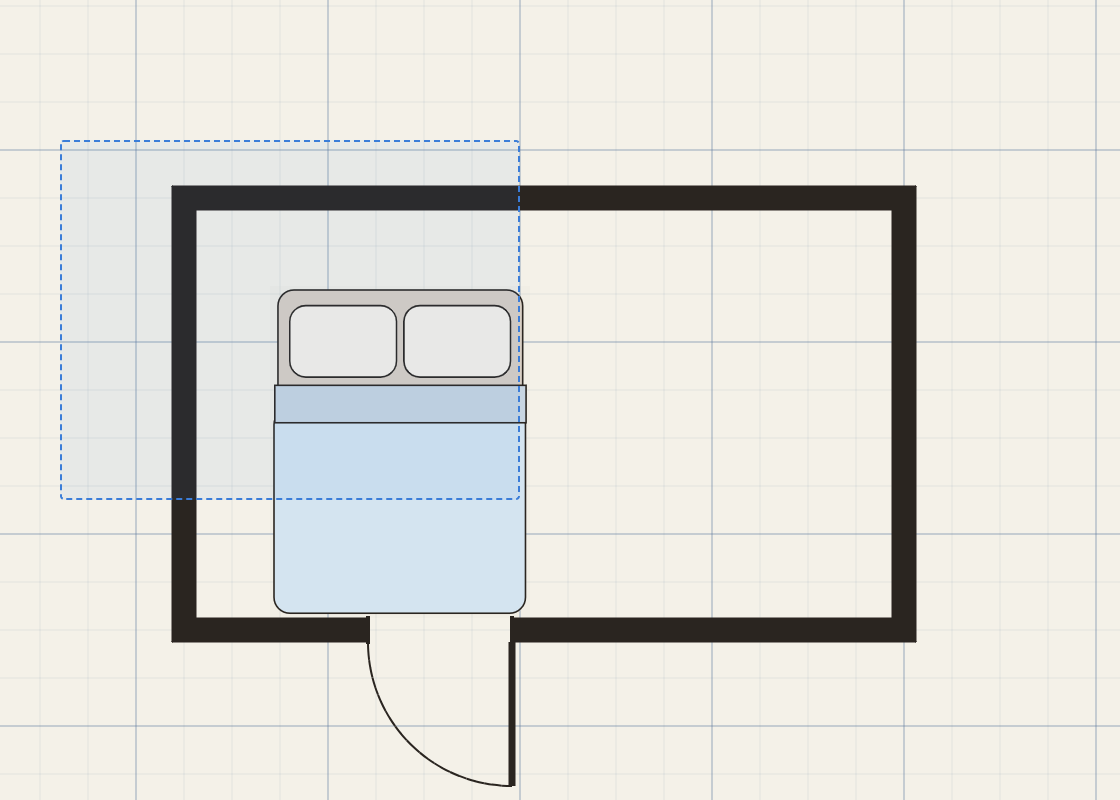
On a tablet or phone, a one-finger drag on empty floor moves the plan, so tap one thing first, then tap Select more in the option bar. While it is on, tap things to add or drop them, and drag a box on empty floor to add everything in it. Two fingers still move and zoom the plan. Tap Select more again to go back to normal.
You need two or more things picked. A box with just one piece in it doesn't copy. To copy one piece, use the two squares that appear around it: see Moving, turning, flipping.
When two or more things are picked, a small bar appears above them with a Copy button. In Advanced it also has Mirror: see Mirror.
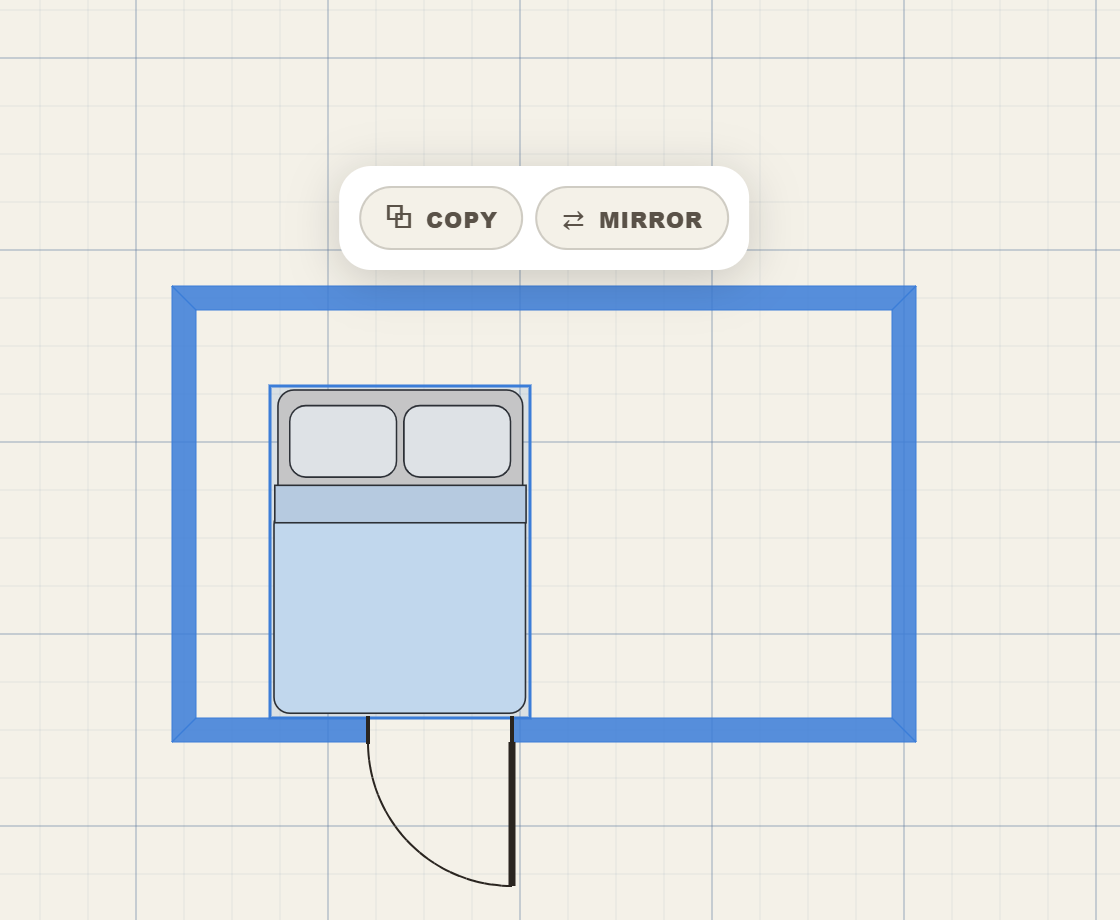
Copy and paste
Press Ctrl+C to copy what's picked.
Press Ctrl+V to paste. The copy appears 1 foot right and 1 foot down from the original, and it's picked, so you can drag it where you want it.
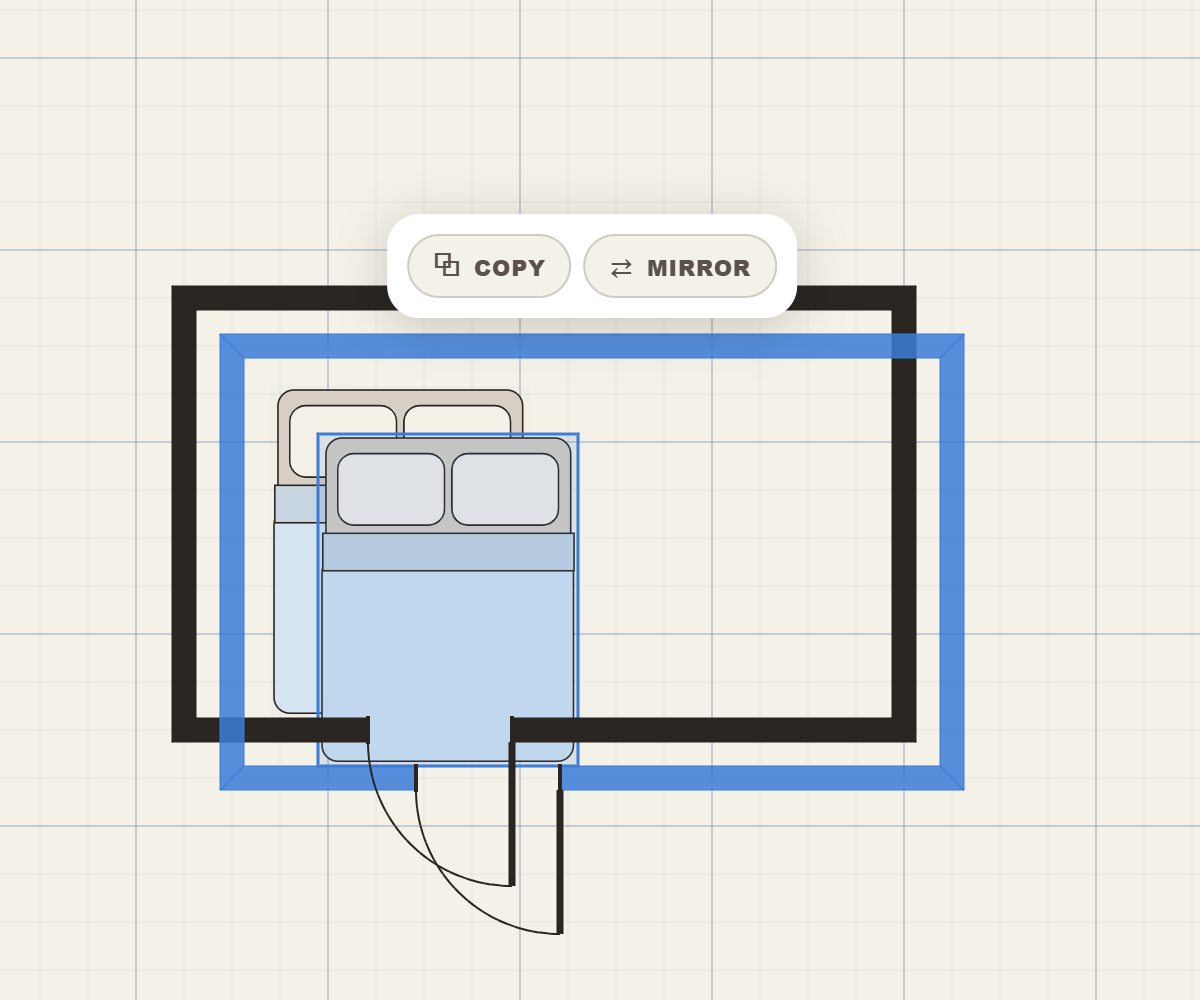
Press Ctrl+V again for another copy. Each one lands a foot farther along than the last.
You can copy on one floor and paste onto another. Paste puts the copy on whichever floor you're on.
Duplicate in one step
Press Ctrl+D, or click Copy in the bar above the selection. You get a copy 1 foot right and 1 foot down, picked and ready to drag. Nothing is copied to the clipboard first.
Take it back
Press Ctrl+Z, or click ↩ on the right rail. A whole paste, with every wall, piece and door in it, goes away in one Undo.
Good to know
- Doors and windows travel with their wall. Pick the wall and its doors and windows are copied too. You can't pick a door on its own for copying.
- Floors, stairs and rugs aren't copied. Only walls, furniture and the openings in the walls.
- The clipboard is only inside the app. It forgets when you close the tab, and you can't paste into other programs.
- Typing doesn't paste. While your cursor is in a text box, Ctrl+C, V and D do their normal text jobs.
If something goes wrong
Ctrl+V does nothing. Copy first. Make sure two or more things were picked when you pressed Ctrl+C.
Ctrl+C does nothing. Only one thing is picked. Drag a box that takes in at least two.